


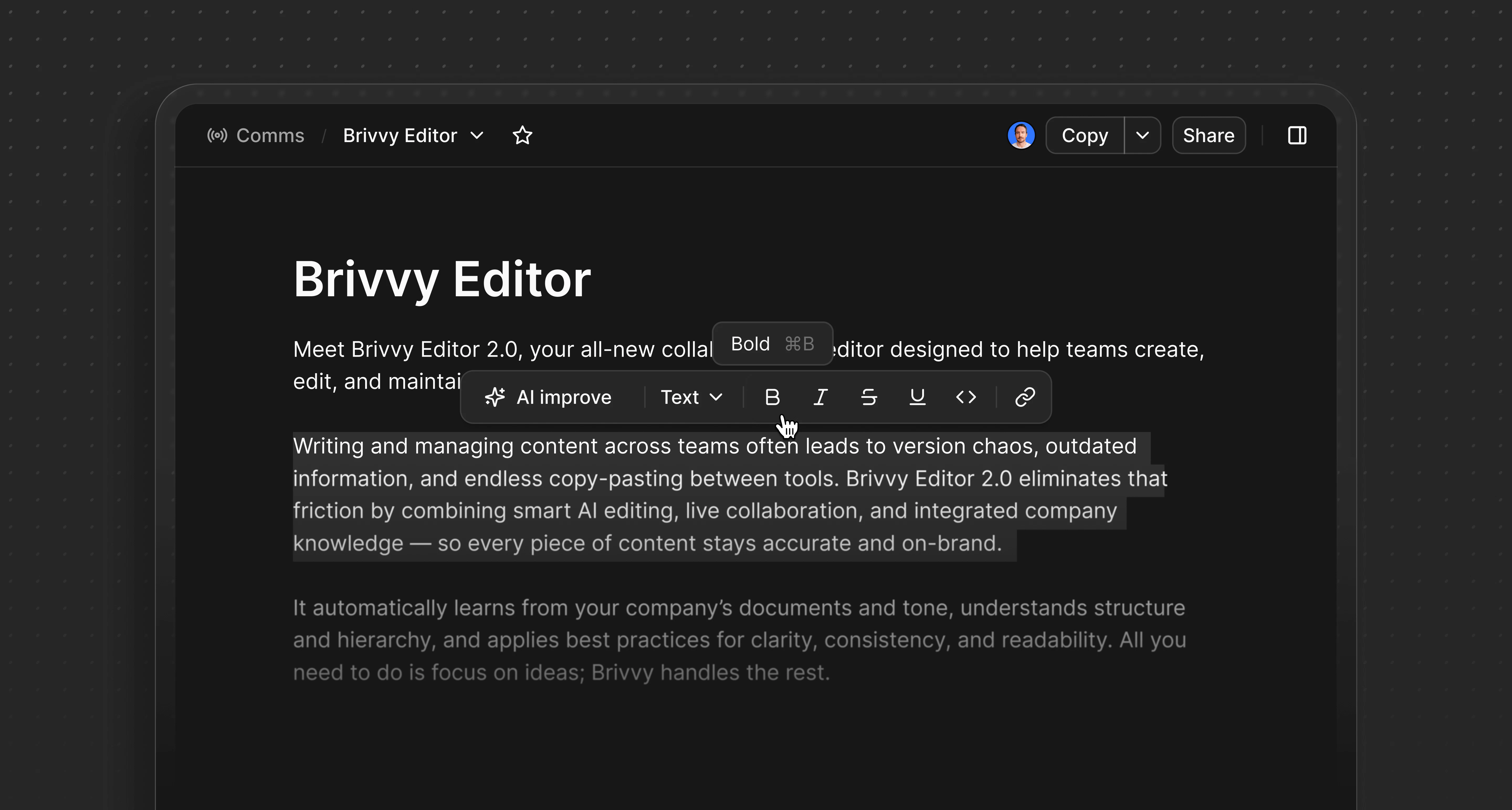
Overview
The editor converts Markdown syntax into rich text automatically. Users can paste Markdown directly or type using standard Markdown notation.Formatting
A formatting toolbar appears when text is highlighted. Slash commands accessed by typing / provide additional formatting options.Text styling
**text**or Cmd/Ctrl B for bold text_text_or Cmd/Ctrl I or Cmd/Ctrl > for italicized text~text~or Cmd/Ctrl Shift S to strikethrough text- Cmd/Ctrl U for underlined text
- Cmd/Ctrl E for inline code
- # then Space Heading 1
- ## then Space Heading 2
- ### then Space Heading 3
Lists
- - then Space or Cmd/Ctrl Shift 8 for a bulleted list
1.or Cmd/Ctrl Shift 7 for a numbered list
Other formatting options
- Cmd/Ctrl K turn text into link (or directly paste issue or URLs for clickable links)
- > then Space for blockquotes
- /code or Cmd/Ctrl Alt C for a code block
- ___ then Space for a horizontal divider
- /table to create a table element
Helpful commands
- Cmd/Ctrl A to select all content in a comm (to copy or delete)
- Cmd/Ctrl Z to undo typing
- Cmd/Ctrl Shift Z to redo typing
- Shift Enter to generate a line break
- Enter to break out of codeblock or blockquote formatting