> ## Documentation Index
> Fetch the complete documentation index at: https://docs.brivvy.io/llms.txt
> Use this file to discover all available pages before exploring further.
# Editor
> Rich text editing to create modern communications.
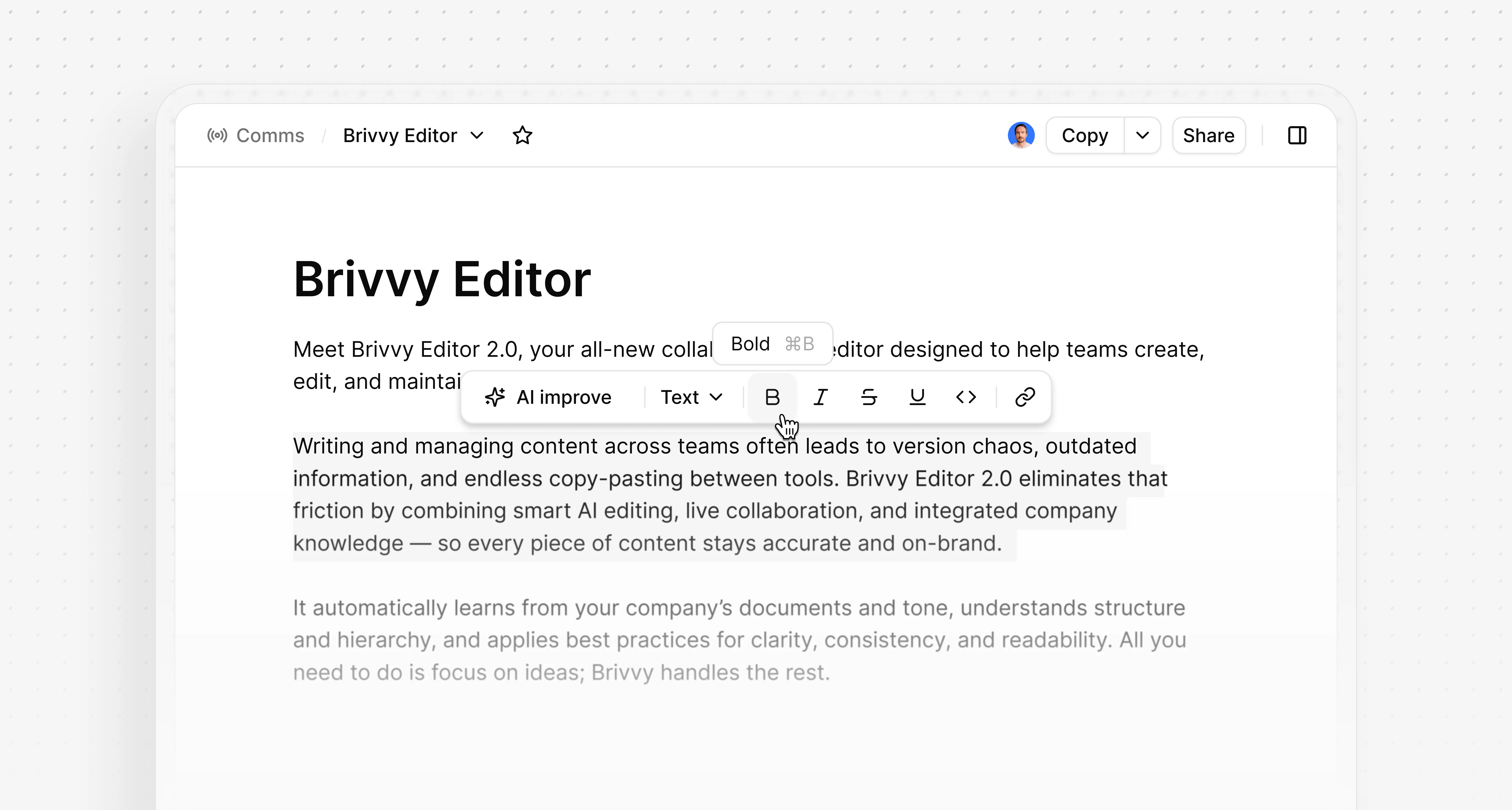
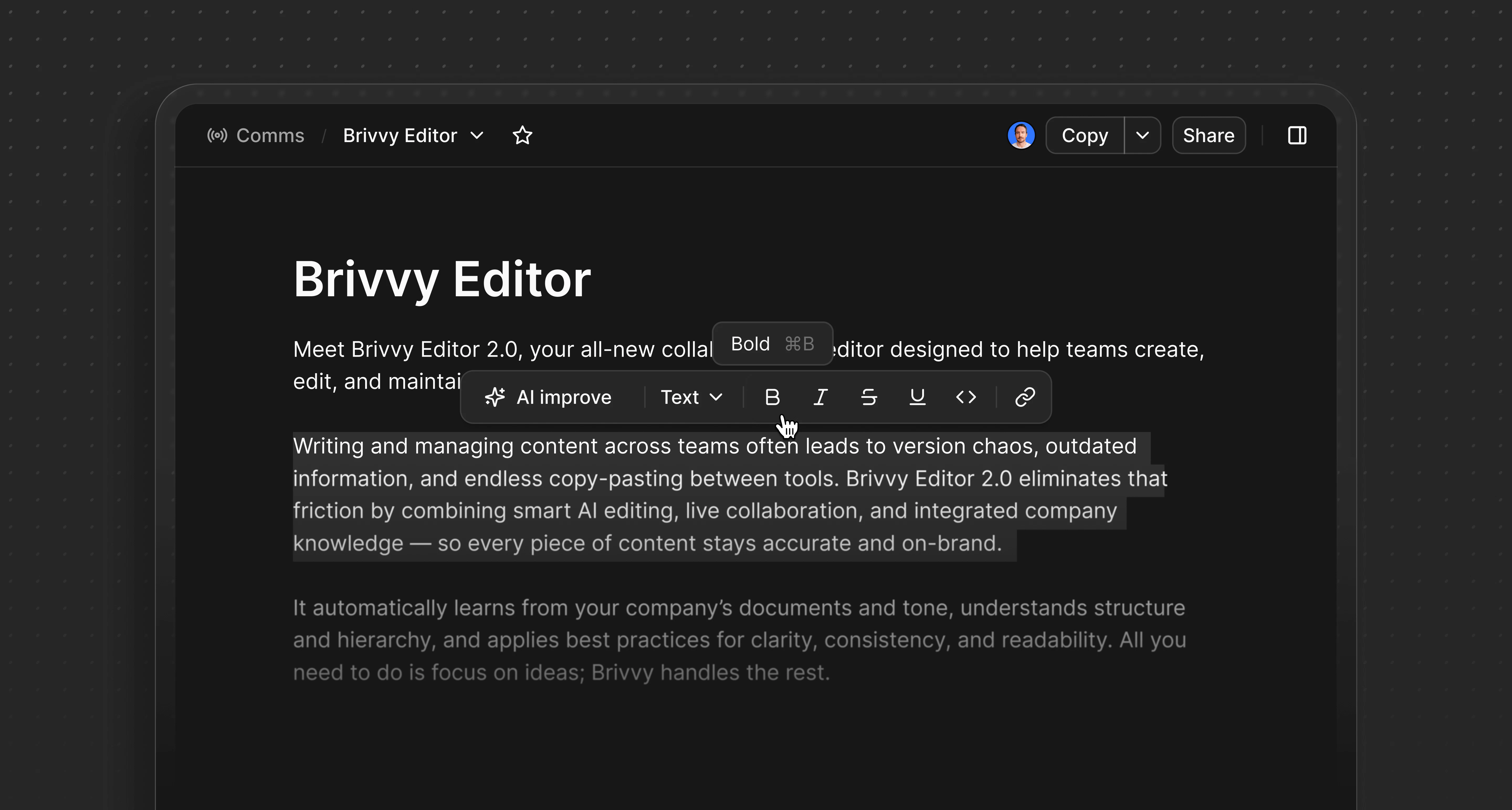 The Brivvy editor supports rich text formatting within Comms. Markdown syntax and keyboard shortcuts provide quick formatting options for brand voice descriptions, template instructions and audience definitions.
## Overview
The editor converts Markdown syntax into rich text automatically. Users can paste Markdown directly or type using standard Markdown notation.
## Formatting
A formatting toolbar appears when text is highlighted. Slash commands accessed by typing / provide additional formatting options.
#### Text styling
* `**text**` or Cmd/Ctrl B for bold text
* `_text_` or Cmd/Ctrl I or Cmd/Ctrl > for italicized text
* `~text~` or Cmd/Ctrl Shift S to strikethrough text
* Cmd/Ctrl U for underlined text
* Cmd/Ctrl E for inline code
* # then Space Heading 1
* ## then Space Heading 2
* ### then Space Heading 3
#### Lists
* - then Space or Cmd/Ctrl Shift 8 for a bulleted list
* `1.` or Cmd/Ctrl Shift 7 for a numbered list
#### Other formatting options
* Cmd/Ctrl K turn text into link (or directly paste issue or URLs for clickable links)
* > then Space for blockquotes
* /code or Cmd/Ctrl Alt C for a code block
* \_\_\_ then Space for a horizontal divider
* /table to create a table element
## Helpful commands
* Cmd/Ctrl A to select all content in a comm (to copy or delete)
* Cmd/Ctrl Z to undo typing
* Cmd/Ctrl Shift Z to redo typing
* Shift Enter to generate a line break
* Enter to break out of codeblock or blockquote formatting
## Copying content
Content can be copied in Markdown format for use in external tools. Select the desired content and use standard copy commands.
Markdown export preserves formatting including bold text, lists, code blocks and links.
## Editor behavior
The editor auto-saves content as changes are made. No manual save action is required.
Formatting persists across browser sessions and devices. All workspace members see consistent formatting when viewing shared content.
## Keyboard shortcuts reference
| Action | Mac | Windows/Linux |
| ------------- | ------------------------------------------------ | ------------------------------------------------- |
| Bold | Cmd + B | Ctrl + B |
| Italic | Cmd + I | Ctrl + I |
| Strikethrough | Cmd + Shift + S | Ctrl + Shift + S |
| Inline code | Cmd + E | Ctrl + E |
| Link | Cmd + K | Ctrl + K |
| Bulleted list | Cmd + Shift + 8 | Ctrl + Shift + 8 |
| Numbered list | Cmd + Shift + 7 | Ctrl + Shift + 7 |
| Code block | Cmd + Alt + C | Ctrl + Alt + C |
| Select all | Cmd + A | Ctrl + A |
| Undo | Cmd + Z | Ctrl + Z |
| Redo | Cmd + Shift + Z | Ctrl + Shift + Z |
The Brivvy editor supports rich text formatting within Comms. Markdown syntax and keyboard shortcuts provide quick formatting options for brand voice descriptions, template instructions and audience definitions.
## Overview
The editor converts Markdown syntax into rich text automatically. Users can paste Markdown directly or type using standard Markdown notation.
## Formatting
A formatting toolbar appears when text is highlighted. Slash commands accessed by typing / provide additional formatting options.
#### Text styling
* `**text**` or Cmd/Ctrl B for bold text
* `_text_` or Cmd/Ctrl I or Cmd/Ctrl > for italicized text
* `~text~` or Cmd/Ctrl Shift S to strikethrough text
* Cmd/Ctrl U for underlined text
* Cmd/Ctrl E for inline code
* # then Space Heading 1
* ## then Space Heading 2
* ### then Space Heading 3
#### Lists
* - then Space or Cmd/Ctrl Shift 8 for a bulleted list
* `1.` or Cmd/Ctrl Shift 7 for a numbered list
#### Other formatting options
* Cmd/Ctrl K turn text into link (or directly paste issue or URLs for clickable links)
* > then Space for blockquotes
* /code or Cmd/Ctrl Alt C for a code block
* \_\_\_ then Space for a horizontal divider
* /table to create a table element
## Helpful commands
* Cmd/Ctrl A to select all content in a comm (to copy or delete)
* Cmd/Ctrl Z to undo typing
* Cmd/Ctrl Shift Z to redo typing
* Shift Enter to generate a line break
* Enter to break out of codeblock or blockquote formatting
## Copying content
Content can be copied in Markdown format for use in external tools. Select the desired content and use standard copy commands.
Markdown export preserves formatting including bold text, lists, code blocks and links.
## Editor behavior
The editor auto-saves content as changes are made. No manual save action is required.
Formatting persists across browser sessions and devices. All workspace members see consistent formatting when viewing shared content.
## Keyboard shortcuts reference
| Action | Mac | Windows/Linux |
| ------------- | ------------------------------------------------ | ------------------------------------------------- |
| Bold | Cmd + B | Ctrl + B |
| Italic | Cmd + I | Ctrl + I |
| Strikethrough | Cmd + Shift + S | Ctrl + Shift + S |
| Inline code | Cmd + E | Ctrl + E |
| Link | Cmd + K | Ctrl + K |
| Bulleted list | Cmd + Shift + 8 | Ctrl + Shift + 8 |
| Numbered list | Cmd + Shift + 7 | Ctrl + Shift + 7 |
| Code block | Cmd + Alt + C | Ctrl + Alt + C |
| Select all | Cmd + A | Ctrl + A |
| Undo | Cmd + Z | Ctrl + Z |
| Redo | Cmd + Shift + Z | Ctrl + Shift + Z |